Cyrlitera – Transliteration of Links and File Names
Download Cyrlitera – Transliteration of Links and File Names 1.3.6Free download · version 1.3.6
Description
At a glance
Cyrlitera – Transliteration of Links and File Names v1.3.6 — free WordPress plugin download. Key facts: 40K+ active installs · 4.6/5 rating from 62 reviews · updated August 21, 2026 · requires WordPress 5.6+ & PHP 7.4+.
Cyrlitera converts Cyrillic and Georgian URLs and file names to Latin. It works for all post types, pages, and terms. It gives you options to define your own custom characters and enable automatic redirects.
How It Works
Transliteration is the process of converting characters from one writing system to another, such as converting Cyrillic symbols to Latin. Because most web software and URLs are designed around Latin characters, using Cyrillic or other non-Latin symbols in links or file names can lead to unreadable URLs, accessibility issues, and even broken links. Transliteration ensures your URLs and file names remain clean, readable, and compatible across all platforms.
Cyrlitera automatically replaces Cyrillic and Georgian characters with Latin equivalents to create clean and readable URLs for posts, categories, taxonomies, products, and custom post types. It also fixes incorrect file names by removing unsafe characters and transliterating them during upload, helping prevent 404 errors and broken media links.
Examples
Cyrillic URL before transliteration:
https://example.com/%D0%BF%D1%80%D0%B8%D0%B2%D0%B5%D1%82-%D0%BC%D0%B8%D1%80
Same URL transliterated to Latin:
https://example.com/privet-mir
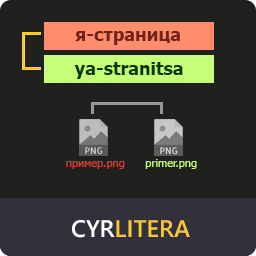
Incorrect file names before transliteration:
%D0%BC%D0%BE%D0%B5_image_290.jpg
A+nice+picture.png
Readable transliterated file names:
moe_image_290.jpg
a-nice-picture.png
By using Latin-based file names and URLs, you avoid issues with encoding, broken links, and unreadable paths. This plugin performs the transliteration automatically each time a file is uploaded, ensuring your media library stays clean and consistent.
Features
- Automatically transliterates all new permalinks for posts, pages, categories, tags, and custom post types.
- Automatically transliterates all new attachment file names on upload, with an option to convert them to lowercase.
- Creates automatic redirects from old URLs to new transliterated ones to prevent broken links.
- Supports multiple alphabets, including Russian, Belarusian, Ukrainian, Bulgarian, and Georgian.
- Fully customizable character mapping – define your own characters and their Latin substitutions to support any language.
- Preserves original permalinks, keeping old URLs intact so nothing is lost during conversion.
- Optional conversion of existing slugs, allowing you to transliterate existing URLs.
- Rollback tool that lets you restore original URLs if needed.
Support
We’re here to help. Feel free to open a new thread on the [Support Forum] (https://wordpress.org/support/plugin/cyrlitera/).
Useful Resources
- If you like this plugin, you’re sure to love our other plugins as well.
- Our blog is a great place to learn more about WordPress.
- Get the most out of your website with our helpful WordPress YouTube Tutorials.
Frequently asked questions
What do I get when I download Cyrlitera – Transliteration of Links and File Names?
Cyrlitera – Transliteration of Links and File Names 1.3.6 is the latest version. It is a WordPress plugin you can download here free of charge under the GPL license, with the complete feature set included and no trial limitations. It holds a 4.6/5 rating from 62 user reviews.
Does Cyrlitera – Transliteration of Links and File Names cost anything?
No. Cyrlitera – Transliteration of Links and File Names 1.3.6 is 100% free — the full GPL version, not a trial or demo. There are no download limits, no accounts to create, and no upsells during the download.
How do I install Cyrlitera – Transliteration of Links and File Names 1.3.6?
Download the ZIP file from this page, then in your WordPress dashboard go to Plugins → Add New → Upload Plugin, choose the file, click Install Now, then Activate. The plugin works immediately after activation — no license key or extra setup is required for the core features.
What are the requirements for Cyrlitera – Transliteration of Links and File Names?
Cyrlitera – Transliteration of Links and File Names 1.3.6 requires WordPress 5.6 or higher and PHP 7.4 or higher. Most modern WordPress hosts already meet these versions. Running older versions may cause features to break, so update WordPress and PHP first if your site is behind.
When was Cyrlitera – Transliteration of Links and File Names last updated?
Version 1.3.6 was last updated on August 21, 2026. This page is refreshed automatically, so the download here always matches the newest version we have verified.
Is the Cyrlitera – Transliteration of Links and File Names download safe?
The file is sourced directly from the official WordPress.org repository — the same file the developer published. It is served unmodified, so what you install here is byte-identical to the official release.
Version: 1.3.6
Updated: October 1, 2026
Technical details
| Version | 1.3.6 |
|---|---|
| Last updated | August 21, 2026 |
| Active installs | 40,000+ |
| Rating | ★★★★★ 4.6/5 (62 reviews) |
| Requires WordPress | 5.6 or higher |
| Requires PHP | 7.4 or higher |
| Author | Themeisle |
| Tags | cyrillic, georgian, multilingual, slugs, transliteration |
Demo Cyrlitera – Transliteration of Links and File Names
Download Cyrlitera – Transliteration of Links and File Names
Download Cyrlitera – Transliteration of Links and File Names WP PluginNote: if the download does not start, disable your ad blocker and try again.