WP Booking System – Booking Calendar
Download WP Booking System – Booking Calendar 2.0.19.14Free download · version 2.0.19.14
Description
At a glance
WP Booking System – Booking Calendar v2.0.19.14 is a free WordPress plugin with 10K+ active installs, 4.9/5 rating from 344 reviews, updated September 16, 2026, requires WordPress 4.7+ & PHP 5.6+. Download the latest GPL version below — free, with live demo included.
WP Booking System is a WordPress booking plugin and availability calendar designed for daily rentals. Used on more than 20,000 WordPress websites, it helps rental businesses accept bookings, manage availability and synchronize calendars.
Is this booking calendar for you?
- Do you rent something out, like a holiday home, a boat or something else?
- Do you have a WordPress website and need a bit of help to keep track of your rentals through a booking calendar?
…then yes! The WP Booking System is perfect for your needs.
Get easy online booking with this lightweight and powerful booking system.
A set-and-forget booking calendar for your rental business
WP Booking System is a simple booking calendar for WordPress. You will be up and running in just a few minutes. You can create booking calendars and forms, and you can manage your bookings. You can easily customize the booking calendar to fit your needs.
Start receiving bookings from your visitors today!
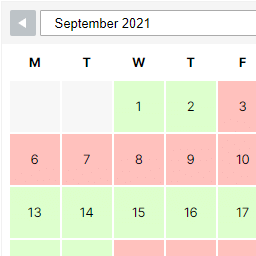
Display available dates in your booking calendar
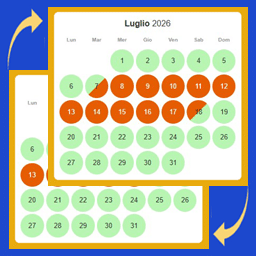
With just one click you can create the first booking calendar for your holiday home or rental business. Already have bookings made? You can manually manage the calendar’s availability in just a few seconds.
Now your booking calendar is up to date with the latest bookings and available dates!
Create a form and enable clients to make bookings online
The beauty of this WordPress booking calendar is that it allows your website visitors to book available calendar dates on the spot through a fully customizable booking calendar form.
Enable your clients to use the rental calendar fast and easy. In just three simple steps, clients will be able to reserve a slot on your booking calendar:
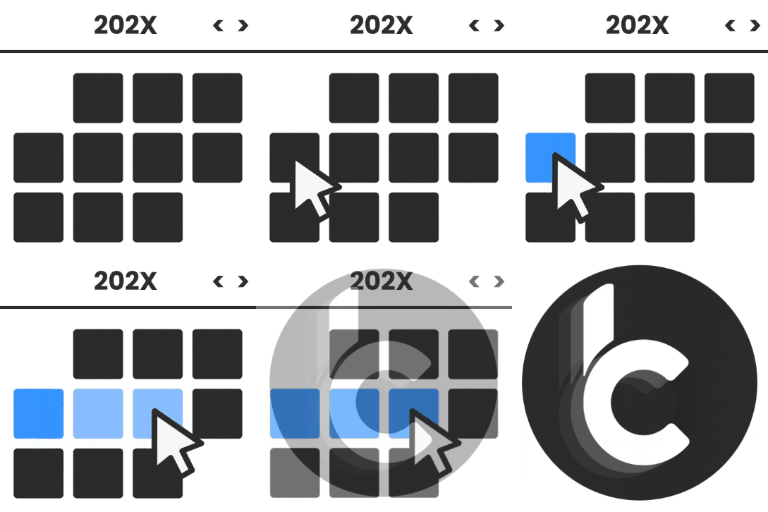
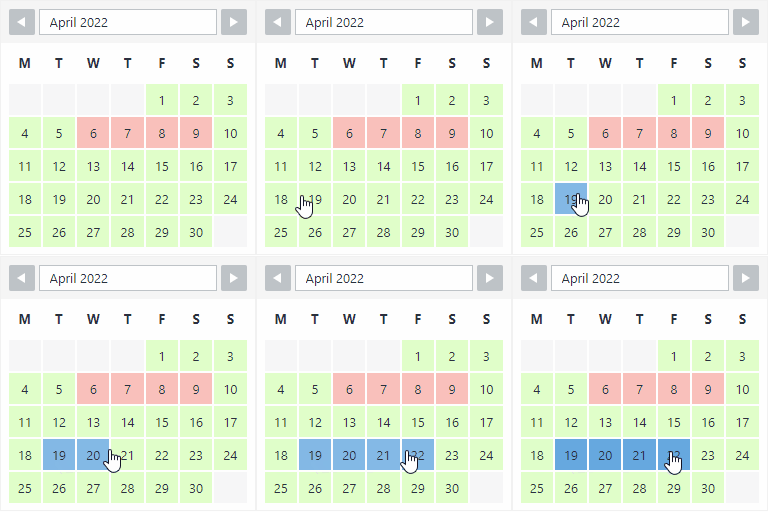
- Hover over the booking calendar to pick a starting date. Click on it, then move the cursor to select the number of days to book. (clients can easily see booked days by using the booking system legend)
- Next, fill in the booking system form (you can edit the form fields at any time to make sure clients submit the most relevant information you need; mark fields as compulsory or optional)
- Finally, click the booking button to make a reservation.
With the premium version of the booking system, you can allow customers to make online bookings using the top payment platforms available at the moment!
You can review and manage calendar bookings from the back-end, so you are always in control. You can even set up automatic calendar notifications so you will receive an email when a booking is made. Now you’re all set to receive online bookings through your booking calendar.
Receive and manage bookings
All your bookings are saved in your rental calendar and are beautifully displayed so you can easily access them and view the booking details.
No time to read the description? Discover the top benefits of WP Booking System in just 40 seconds!
Features of the Free version:
- Create your own booking system: a booking calendar and a booking form!
- Receive and manage bookings
- Save extra booking information
- Generate a shortcode to insert the booking calendar and booking form into a page or post
- Use the Gutenberg block to embed the booking calendar
- WP Booking System Widget
- The booking calendar supports multiple languages
EXTRA FEATURES OF THE PREMIUM BOOKING CALENDAR VERSION:
- The booking system can accept online and offline payments
- iCalendar Sync, Import and Export
- Create an unlimited number of booking calendars
- Create an unlimited number of booking forms
- Create your own rental calendar legend: apply your own colors and text
- Split days selection
- Display multiple months
- Change the first day of the week
- Change the start month / year
- Display an overview reservation calendar
- Edit multiple dates with just one click
- Display tooltips with extra info
- Hide calendar bookings from the past from your visitors
- Set the minimum number of days that the visitor must book
- Show the week’s number on the booking calendar
- Automatically block booked days directly
- Send booking notifications
- User management within the booking system
- Very easy to translate into any language
- Professional support for any question related to the booking calendar
- Download the Premium version at: www.wpbookingsystem.com
This WP Booking Calendar Plugin is for…
Any rental business should use the WP Booking Calendar plugin to keep track of their rental calendar throughout the year.
- Property rentals: bed & breakfast, hotels, hotel rooms, cottages, apartments, houses, apartment rooms (use WP Booking System even when you are renting through AirBNB, Booking.com etc.)
- Boat rentals
- Car & motorcycle rentals
- Sports equipment rentals (full day ski equipment rental, bike rentals, skates rentals etc)
- Events rentals (full day trainings/courses, parties, weddings, baptisms, corporate events, business meetings, conferences etc)
- Speakers, singers, photographers, videographers, inspectors can also benefit from using WP Booking system
The booking system will soon become an indispensable tool in your business, and you will find yourself using it daily to manage reservations in your calendar.
How the booking calendar helps your clients
- Clients can make calendar bookings online, by accessing your website
- No need to call to make a reservation
- They can see the available calendar dates and manage their schedule to make a booking
- They can make simple and fast bookings from the comfort of their own home, directly from their mobile phones
Key booking system benefits for your business
- Collect relevant information about your clients through the booking system form (configure the rental calendar form to your needs). No need to call or collect this information at the desk.
- Use the WP Booking System on the go, from your mobile phone. The WP Booking Calendar can be used from mobile devices with ease – simply log in to your website and make any necessary edits just like on a computer.
- Manage bookings offline – when you meet with a client 1:1 and they want to make a future booking, simply log in to your website, access the booking calendar and make the reservation on the spot, for them.
- Stay up to date with calendar bookings by receiving email confirmations and reminders
WP Booking System in a nutshell…
Get organised and start receiving bookings with WP booking system. With this WP plugin you can create booking calendars, booking forms and accept bookings via your website. Setting it up is really easy and you will be up and running in just a few minutes. Bookings will be clearly listed in your booking calendar and you can stay organised. The booking calendar plugin works simply and it can be translated into several languages.
Frequently asked questions
What do I get when I download WP Booking System – Booking Calendar?
WP Booking System – Booking Calendar 2.0.19.14 is the latest version. It is a WordPress plugin you can download here free of charge under the GPL license, with the complete feature set included and no trial limitations. It holds a 4.9/5 rating from 344 user reviews.
Does WP Booking System – Booking Calendar cost anything?
No. WP Booking System – Booking Calendar 2.0.19.14 is 100% free — the full GPL version, not a trial or demo. There are no download limits, no accounts to create, and no upsells during the download.
How do I install WP Booking System – Booking Calendar 2.0.19.14?
Download the ZIP file from this page, then in your WordPress dashboard go to Plugins → Add New → Upload Plugin, choose the file, click Install Now, then Activate. The plugin works immediately after activation — no license key or extra setup is required for the core features.
What are the requirements for WP Booking System – Booking Calendar?
WP Booking System – Booking Calendar 2.0.19.14 requires WordPress 4.7 or higher and PHP 5.6 or higher. Most modern WordPress hosts already meet these versions. Running older versions may cause features to break, so update WordPress and PHP first if your site is behind.
When was WP Booking System – Booking Calendar last updated?
Version 2.0.19.14 was last updated on September 16, 2026. This page is refreshed automatically, so the download here always matches the newest version we have verified.
Is the WP Booking System – Booking Calendar download safe?
The file is sourced directly from the official WordPress.org repository — the same file the developer published. It is served unmodified, so what you install here is byte-identical to the official release.
Version: 2.0.19.14
Updated: October 1, 2026
Technical details
| Version | 2.0.19.14 |
|---|---|
| Last updated | September 16, 2026 |
| Active installs | 10,000+ |
| Rating | ★★★★★ 4.9/5 (344 reviews) |
| Requires WordPress | 4.7 or higher |
| Requires PHP | 5.6 or higher |
| Author | Roland Murg |
| Tags | availability-calendar, booking-calendar, booking-system, icalendar, reservation-calendar |
Demo WP Booking System – Booking Calendar
Download WP Booking System – Booking Calendar
Download WP Booking System – Booking Calendar WP PluginNote: if the download does not start, disable your ad blocker and try again.