
Description
At a glance
Central Color Palette v1.15.5 is a free WordPress plugin with 10K+ active installs, 4.9/5 rating from 57 reviews, updated August 16, 2023, requires WordPress 5.2+ & PHP 5.3+. Download the latest GPL version below — free, with live demo included.
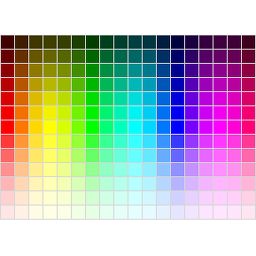
This plugin allows you to manage a site-wide central color palette for an uniform look’n’feel. The palette of the new block editor and the Theme Customizer are supported, as well as the classic editor. You can define this central color palette through the settings menu. All plugins that make use of WordPress’ color picker can benefit from this plugin as well.
This plugin supports a multi-site setup of WordPress.
Also this plugin replaces the color picker for choosing a text or background color found inside the classic editor with a bigger and customizable color grid.
For an easy migration between WordPress installations you can export and import your palette settings and colors.
Theme/Plugin Support
Central Color Palette supports these plugins and themes:
- Advanced Custom Fields
- Astra Theme
- Beaver Builder
- Elementor 2
- FontPress
- GeneratePress Premium
- Hestia Theme
- Neve Theme
- Mega Max Menu
- OceanWP
- Oxygen
- Page Builder Framework
Please not that Elementor 3 is currently not supported due to its new color management.
API Documentation
Central Color Palette offers some methods, so have a look at the API Documentation.
Privacy Policy
This plugin does not collect or use any private data.
Frequently asked questions
What do I get when I download Central Color Palette?
Central Color Palette 1.15.5 is the latest version. It is a WordPress plugin you can download here free of charge under the GPL license, with the complete feature set included and no trial limitations. It holds a 4.9/5 rating from 57 user reviews.
Does Central Color Palette cost anything?
No. Central Color Palette 1.15.5 is 100% free — the full GPL version, not a trial or demo. There are no download limits, no accounts to create, and no upsells during the download.
How do I install Central Color Palette 1.15.5?
Download the ZIP file from this page, then in your WordPress dashboard go to Plugins → Add New → Upload Plugin, choose the file, click Install Now, then Activate. The plugin works immediately after activation — no license key or extra setup is required for the core features.
What are the requirements for Central Color Palette?
Central Color Palette 1.15.5 requires WordPress 5.2 or higher and PHP 5.3 or higher. Most modern WordPress hosts already meet these versions. Running older versions may cause features to break, so update WordPress and PHP first if your site is behind.
When was Central Color Palette last updated?
Version 1.15.5 was last updated on August 16, 2023. This page is refreshed automatically, so the download here always matches the newest version we have verified.
Is the Central Color Palette download safe?
The file is sourced directly from the official WordPress.org repository — the same file the developer published. It is served unmodified, so what you install here is byte-identical to the official release.
Version: 1.15.5
Updated: October 1, 2026
Technical details
| Version | 1.15.5 |
|---|---|
| Last updated | August 16, 2023 |
| Active installs | 10,000+ |
| Rating | ★★★★★ 4.9/5 (57 reviews) |
| Requires WordPress | 5.2 or higher |
| Requires PHP | 5.3 or higher |
| Author | Tessa (they/them), AuRise Creative |
| Tags | color, customizer, editor, gutenberg, palette |
Demo Central Color Palette
Download Central Color Palette
Download Central Color Palette WP PluginNote: if the download does not start, disable your ad blocker and try again.