
Reorder Posts – Quick Post Type and Page Ordering
Download Reorder Posts – Quick Post Type and Page Ordering 2.6.1Free download · version 2.6.1
Description
At a glance
Reorder Posts – Quick Post Type and Page Ordering v2.6.1 is a free WordPress plugin with 10K+ active installs, 3.9/5 rating from 28 reviews, updated September 25, 2026, requires WordPress 6.5+ & PHP 7.2+. Download the latest GPL version below — free, with live demo included.
Reorder Posts is a simple and flexible way to reorder posts, pages, and custom post types in WordPress using drag and drop. This plugin gives you full control over post ordering by leveraging WordPress’s built-in menu_order functionality, while keeping the interface fast, and intuitive. For those not familiar with code, the admin settings allows for auto-sorting based on post type. For hierarchical post types, the plugin supports nested pages.
Who is Reorder Posts For?
Reorder Posts is designed for developers and site builders who need precise control over how content is displayed. Whether you’re organizing landing pages, structuring custom post type archives, or manually controlling query output, this plugin provides a reliable way to define ordering without relying on publish dates or titles.
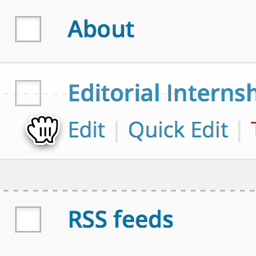
Once activated, the plugin adds a “Reorder” submenu to supported post types in the WordPress dashboard. For custom post types that do not have an interface, you can click a shortcut to reorder the post type from within the admin settings. From there, you can drag and drop posts, pages, and post types into the exact order you need. Changes are saved automatically, so there’s no need for a save button or extra clicks.
What Post Types and Queries Does Reordering Support?
This plugin works seamlessly with both standard posts, pages, and custom post types. It also supports hierarchical post types, allowing you to reorder and re-nest items like pages or nested content structures. This makes it especially useful for sites that rely on structured content, such as documentation, courses, or directories. For hidden post types (post types that expose no UI), you can reorder these post types from a shortcut within the Reorder Posts admin settings.
Because the plugin uses the native menu_order field, it integrates cleanly with WordPress queries. If your queries already support ordering by menu_order, your changes will appear instantly on the front-end. If not, the plugin includes advanced options in the Reorder admin settings to help override default query behavior when needed.
Reorder Posts does not auto-sort your post types on the front-end automatically unless explicitly enabled in the admin settings. Instead, it gives you the tools to define ordering while leaving implementation decisions in your hands. This makes it ideal for developers who want flexibility without unnecessary abstraction. The admin settings for auto-sorting are completely optional.
Choosing Which Post Types to Reorder
A dedicated settings panel allows you to control which post types support reordering. By default, common post types like posts and pages are enabled, while others can be toggled on as needed. If a post type is hidden, with no visibile editing interface, you can still reorder it by enabling it and clicking the Reorder shortcut next to the post type.
For more advanced use cases, developers can hook into filters to customize behavior programmatically. This includes defining which post types are reorderable or adjusting how ordering is applied across queries.
Reordering Categories, Terms, and Posts Within Categories
If you need to reorder posts within taxonomies such as categories or terms, companion add-ons are available to extend functionality even further.
- Reorder by Term – Reorders posts/pages/post types by which category they are in.
- Reorder Terms – Reorders categories, terms, and any other public taxonomy.
Major Features
Key features include:
- Drag and drop post ordering in the WordPress admin
- Support for posts, pages, and custom post types
- Hierarchical post type support with support for nested pages
- Automatic saving with no manual update required
- Developer-friendly approach using
menu_order - Advanced settings for query overrides and post type auto-sorting
Reorder Posts is best suited for users who understand how WordPress queries work or are comfortable working with WP_Query, get_posts, or pre_get_posts. If you need full control over content ordering without sacrificing performance or simplicity, this plugin provides a clean and reliable solution.
Development
You are welcome to help us out and contribute on GitHub.
Credits
This plugin was originally developed for Metronet AS in Norway.
The plugin is now independently developed by Ryan Hellyer, Ronald Huereca and Scott Basgaard.
Frequently asked questions
What do I get when I download Reorder Posts – Quick Post Type and Page Ordering?
Reorder Posts – Quick Post Type and Page Ordering 2.6.1 is the latest version. It is a WordPress plugin you can download here free of charge under the GPL license, with the complete feature set included and no trial limitations. It holds a 3.9/5 rating from 28 user reviews.
Does Reorder Posts – Quick Post Type and Page Ordering cost anything?
No. Reorder Posts – Quick Post Type and Page Ordering 2.6.1 is 100% free — the full GPL version, not a trial or demo. There are no download limits, no accounts to create, and no upsells during the download.
How do I install Reorder Posts – Quick Post Type and Page Ordering 2.6.1?
Download the ZIP file from this page, then in your WordPress dashboard go to Plugins → Add New → Upload Plugin, choose the file, click Install Now, then Activate. The plugin works immediately after activation — no license key or extra setup is required for the core features.
What are the requirements for Reorder Posts – Quick Post Type and Page Ordering?
Reorder Posts – Quick Post Type and Page Ordering 2.6.1 requires WordPress 6.5 or higher and PHP 7.2 or higher. Most modern WordPress hosts already meet these versions. Running older versions may cause features to break, so update WordPress and PHP first if your site is behind.
When was Reorder Posts – Quick Post Type and Page Ordering last updated?
Version 2.6.1 was last updated on September 25, 2026. This page is refreshed automatically, so the download here always matches the newest version we have verified.
Is the Reorder Posts – Quick Post Type and Page Ordering download safe?
The file is sourced directly from the official WordPress.org repository — the same file the developer published. It is served unmodified, so what you install here is byte-identical to the official release.
Version: 2.6.1
Updated: October 1, 2026
Technical details
| Version | 2.6.1 |
|---|---|
| Last updated | September 25, 2026 |
| Active installs | 10,000+ |
| Rating | ★★★★☆ 3.9/5 (28 reviews) |
| Requires WordPress | 6.5 or higher |
| Requires PHP | 7.2 or higher |
| Author | Matt Cromwell |
| Tags | menu-order, ordering, re-order, reorder, reorder-posts |
Demo Reorder Posts – Quick Post Type and Page Ordering
Download Reorder Posts – Quick Post Type and Page Ordering
Download Reorder Posts – Quick Post Type and Page Ordering WP PluginNote: if the download does not start, disable your ad blocker and try again.