
Description
At a glance
Looking for EasyVizi Sunburst v1.0.1? It is available here as a free GPL download for WordPress — updated September 27, 2026 · requires WordPress 6.2+ & PHP 7.4+.
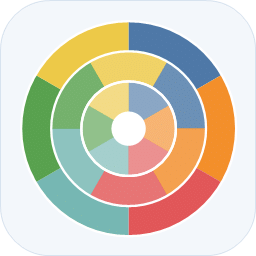
EasyVizi Sunburst turns hierarchical data – categories, sub-categories and values – into a multi-level pie chart where every ring is one level of the hierarchy. Each segment is sized by its share of its parent, so the outermost ring shows the finest breakdown.
Three ways to add a chart
- Block – search for “EasyVizi Sunburst” in the block inserter. The sidebar gives you a live preview while you type, plus controls for height, number of rings, colors, legend and zoom. Paste JSON, or import a CSV straight from the sidebar.
- Shortcode –
[easyvizi_sunburst title="Revenue" height="420"] ...JSON... [/easyvizi_sunburst], or point it at a JSON file withsrc="https://example.com/data.json". Settings EasyVizi Sunburst has a builder that turns pasted JSON or CSV into a ready-to-paste shortcode (and the matching PHP call). - Template function –
echo easyvizi_sunburst( $data, array( 'title' => 'Revenue' ) );in any theme file.
Two data formats
A nested tree:
`
[
{ “name”: “Acquisition”, “children”: [
{ “name”: “Search”, “value”: 4100 },
{ “name”: “Social”, “value”: 1750 }
] },
{ “name”: “Revenue”, “value”: 5200 }
]
`
Or a flat list of rows, which is easier to produce from a spreadsheet. Leave parent empty for a top level row and give parent rows a value of 0 so their children are added up:
`
[
{ “id”: “search”, “parent”: “”, “label”: “Search”, “value”: 0 },
{ “id”: “search-organic”, “parent”: “search”, “label”: “Organic”, “value”: 4100 },
{ “id”: “search-paid”, “parent”: “search”, “label”: “Paid”, “value”: 2300 }
]
`
A CSV export works too: import it in the block sidebar, or paste it into the builder on the settings screen. The first row names the columns – id, parent, label, value – in any order and with the usual aliases (key, name, size). Parent rows take a value of 0 so their children are added up.
Highlights
- Interactive: click a segment to zoom into it, click the center or a breadcrumb to zoom back out. Every segment is focusable and activates with Enter or Space.
- Labels: write each segment’s name inside it, curved along the ring or in a straight line, or let the chart choose one style for the whole thing. A name that cannot reach the minimum size on its segment is left out rather than squeezed, and the minimum is a setting (14 pixels by default).
- Size: 560 pixels square by default, up to 2000, and everything scales with it.
- Center: an open hole, a solid circle standing for the whole chart, or a circle divided by the first level, all exactly one ring wide.
- Legend: below the chart, or beside it on either side.
- Colors: one hue per branch (shaded by ring), or a single hue shaded by ring. Bring your own hex palette with the
colorsattribute. - Accessible: an off-screen table with every leaf value and its full path is rendered for screen readers, and the chart scales with the theme’s font size and container.
- Private by default: the SVG is drawn in the browser from data already on the page. No requests to third-party chart services, no tracking, no cookies.
- Translators can start from the bundled
languages/easyvizi-sunburst.pot.
The plugin was renamed from “Sunburst Chart” to EasyVizi Sunburst; [sunburst_chart] and older saved block markup still work.
Shortcode attributes
There are sixteen, covering size, rings, labels, the center, the legend and your own hex palette. The complete list, with values and defaults, is in docs/SHORTCODE.md.
The five you are most likely to reach for:
title– caption above the chart.height– pixels, 120 to 2000, default 560. The chart is square, so the column caps the width.arc_labels–off(default),auto,curved,radial,tangentialorhorizontal.colors– comma separated hex colors, e.g.colors="#4e79a7,#f28e2b". Hex only.src– URL returning JSON, used instead of inline data. Cached for one hour.
Frequently asked questions
What is EasyVizi Sunburst?
EasyVizi Sunburst is a free WordPress plugin available under the GPL license. The current version is 1.0.1.
Is EasyVizi Sunburst free to download?
Yes — EasyVizi Sunburst 1.0.1 is a free GPL download with no hidden fees, no account needed, and no feature locked behind a paywall in this package.
How do I install EasyVizi Sunburst 1.0.1?
Download the ZIP file from this page, then in your WordPress dashboard go to Plugins → Add New → Upload Plugin, choose the file, click Install Now, then Activate. The plugin works immediately after activation — no license key or extra setup is required for the core features.
What are the requirements for EasyVizi Sunburst?
EasyVizi Sunburst 1.0.1 requires WordPress 6.2 or higher and PHP 7.4 or higher. Most modern WordPress hosts already meet these versions. Running older versions may cause features to break, so update WordPress and PHP first if your site is behind.
When was EasyVizi Sunburst last updated?
Version 1.0.1 was last updated on September 27, 2026. This page is refreshed automatically, so the download here always matches the newest version we have verified.
Is the EasyVizi Sunburst download safe?
The file is sourced directly from the official WordPress.org repository — the same file the developer published. It is served unmodified, so what you install here is byte-identical to the official release.
Version: 1.0.1
Updated: October 1, 2026
Technical details
| Version | 1.0.1 |
|---|---|
| Last updated | September 27, 2026 |
| Requires WordPress | 6.2 or higher |
| Requires PHP | 7.4 or higher |
| Author | easyvizi |
| Tags | chart, hierarchy, pie-chart, sunburst, svg-chart |
Demo EasyVizi Sunburst
Download EasyVizi Sunburst
Download EasyVizi Sunburst WP PluginNote: if the download does not start, disable your ad blocker and try again.