
Description
At a glance
ProofBlocks v1.0.2 — free WordPress plugin download. Key facts: updated September 24, 2026 · requires WordPress 6.5+ & PHP 7.4+.
Pricing plans, a promo banner, a “10,000+ happy customers” counter: these are the sections that turn visitors into buyers. Usually that means installing a heavy page builder or a 40-block bundle you’ll never use.
ProofBlocks gives you exactly those three blocks, done properly, inside the editor you already use.
Try the live demo: a real WordPress site with a Pricing Table, Banner and Counter already published. No install needed.
The blocks
Pricing Table
Plan columns with a name, price and billing period, a feature list, and a CTA button per plan (with an optional new-tab link). Each column is its own native block, so you can reorder, duplicate or restyle plans individually. You can highlight your best plan with a custom badge and a border glow, ribbon or scale effect.
Banner / CTA
Image, heading, text and button, for promotions, announcements, lead magnets or product launches. You can put the image on the left, right or top, and align the text left or centre.
Counter / Countdown
Two blocks in one:
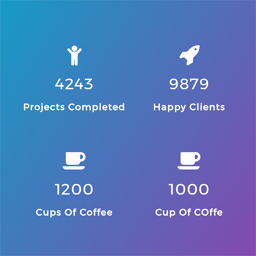
- Counter: a number that counts up when it scrolls into view, with a prefix and suffix (
$,+,%), adjustable speed, a label and an optional icon. Good for social proof such as customers served, projects shipped or years in business. - Countdown: a live countdown to any date, with your own message once it expires. Good for sales, launches and early-bird deadlines.
Looks good in one click
- 4 design presets (Minimal, Bold, Corporate, Playful) that set a matching style in one click. Everything stays editable afterwards.
- 8 colour presets shared across all three blocks, so your pricing table, banner and counters always match.
- Card shapes and styles: sharp, rounded or pill corners, with flat, bordered or shadow cards.
- Typography: use your theme’s font or pick sans-serif, serif, monospace or bold condensed, plus normal, bold, uppercase or italic text styles.
- Entrance animations: fade in or slide up as the block scrolls into view.
Built light
- No page builder. These are real Block Editor blocks that work in the Post Editor and the Site Editor (block themes).
- Assets load only where they’re used. A page without a ProofBlocks block loads none of its CSS or JS.
- No external services and no tracking. Nothing leaves your site.
- Your content is safe. Block content is stored as standard post content. If you ever deactivate the plugin, the text stays in your pages.
- Developer-friendly. A documented set of filters and actions lets you add colour sets, banner layouts, counter icons and custom markup.
Want more?
If you need more plan columns, premium gradients with an animated “popular” badge, a monthly/yearly price toggle, video or parallax banners, extra banner layouts or odometer-style counters, those are available in ProofBlocks Pro, a separate optional add-on.
Source code
The editor and front-end scripts in the build/ folder are compiled from the human-readable source in the plugin’s public repository:
https://github.com/ivanomelyanenko0-cloud/proofblocks
To build it yourself, run npm install and then npm run build (uses @wordpress/scripts).
External services
This plugin does not connect to any external service. No data leaves your site. All block content is stored in your own WordPress database as standard post content, like any other block.
Frequently asked questions
What do I get when I download ProofBlocks?
ProofBlocks 1.0.2 is the latest version. It is a WordPress plugin you can download here free of charge under the GPL license, with the complete feature set included and no trial limitations.
Does ProofBlocks cost anything?
No. ProofBlocks 1.0.2 is 100% free — the full GPL version, not a trial or demo. There are no download limits, no accounts to create, and no upsells during the download.
How do I install ProofBlocks 1.0.2?
Download the ZIP file from this page, then in your WordPress dashboard go to Plugins → Add New → Upload Plugin, choose the file, click Install Now, then Activate. The plugin works immediately after activation — no license key or extra setup is required for the core features.
What are the requirements for ProofBlocks?
ProofBlocks 1.0.2 requires WordPress 6.5 or higher and PHP 7.4 or higher. Most modern WordPress hosts already meet these versions. Running older versions may cause features to break, so update WordPress and PHP first if your site is behind.
When was ProofBlocks last updated?
Version 1.0.2 was last updated on September 24, 2026. This page is refreshed automatically, so the download here always matches the newest version we have verified.
Is the ProofBlocks download safe?
The file is sourced directly from the official WordPress.org repository — the same file the developer published. It is served unmodified, so what you install here is byte-identical to the official release.
Version: 1.0.2
Updated: October 1, 2026
Technical details
| Version | 1.0.2 |
|---|---|
| Last updated | September 24, 2026 |
| Requires WordPress | 6.5 or higher |
| Requires PHP | 7.4 or higher |
| Author | Cognitolab (Ivan Omelianenko) |
| Tags | animated-counter, blocks, call-to-action, countdown-timer, pricing-table |
Demo ProofBlocks
Download ProofBlocks
Download ProofBlocks WP PluginNote: if the download does not start, disable your ad blocker and try again.