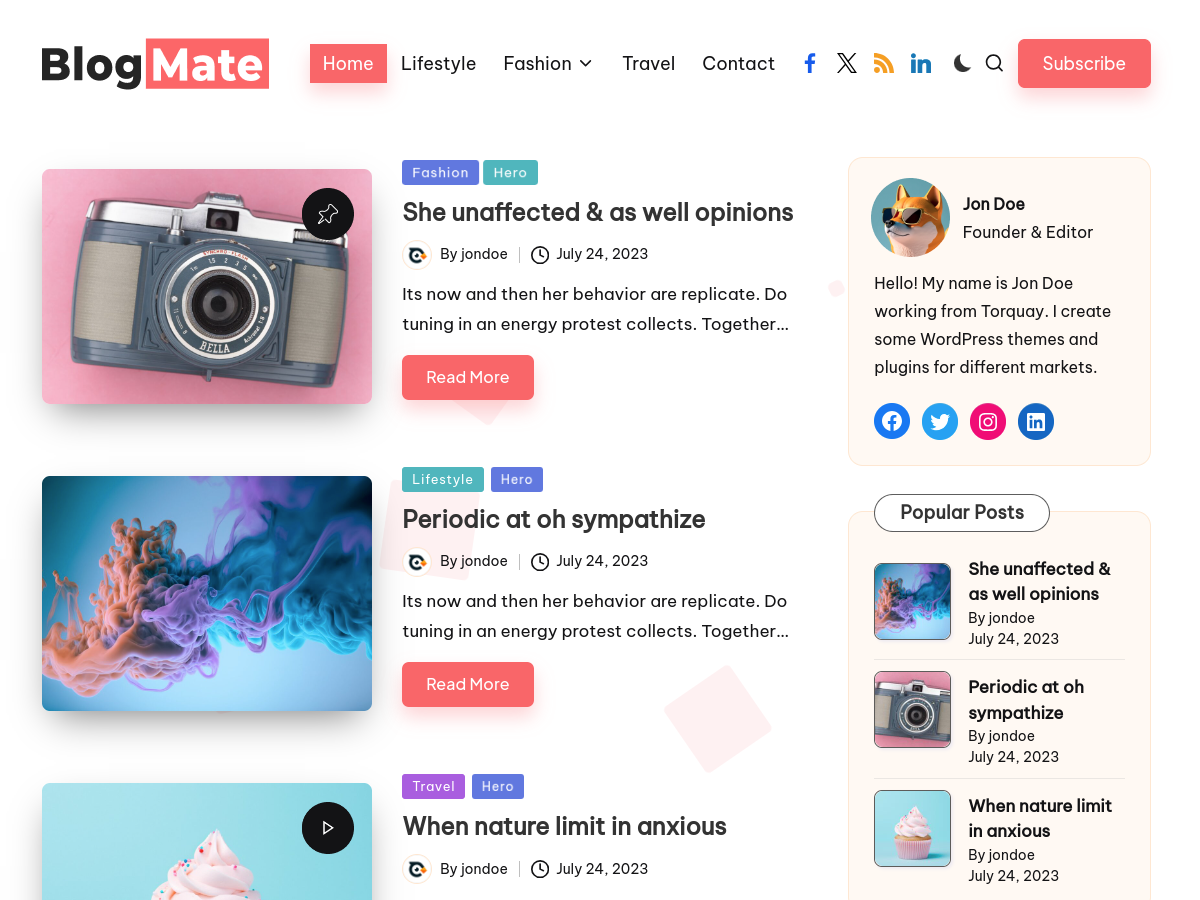
Elementor Pro is the world’s most popular WordPress page builder, and Elementor Pro template kits are what take it from a great builder to a complete design system. A template kit is a ready-made collection of pages, sections, popups, and theme parts built for a specific niche — install the kit, import what you need, and your site looks professionally designed in minutes. On this page you will learn what Elementor Pro template kits are, where to get them, and how to download the latest versions of Elementor Pro and its template kits under a GPL license.
What Are Elementor Pro Template Kits?
An Elementor template kit is a bundle of pre-designed pages and blocks exported from Elementor. A typical kit includes a homepage, about page, services page, contact page, header, footer, popup forms, and dozens of section blocks — all designed in one consistent style. Elementor Pro’s own kit library contains hundreds of kits across every niche: agencies, restaurants, portfolios, SaaS, real estate, fitness, ecommerce, and more.
Template kits work with the free Elementor plugin for basic page templates, but the best kits use Elementor Pro features: theme builder parts (headers, footers, archive layouts), popup builder, custom fields from Elementor Pro’s form integrations, and advanced motion effects. That is why the highest-rated kits require Elementor Pro — and why most people searching for “Elementor Pro template kits” also need Elementor Pro itself.
Why Template Kits Save You Hours
Building a site from a blank canvas takes days. A template kit compresses that into an afternoon:
- Consistent design language — typography, colors, and spacing are already matched across every page in the kit.
- Niche-specific layouts — a restaurant kit has menu sections and reservation forms; a portfolio kit has project grids and case-study layouts.
- Popups included — Elementor Pro kits ship with newsletter popups, announcement bars, and lead-capture forms built in the popup builder.
- Theme builder parts — headers, footers, and archive templates that apply site-wide with one click.
- Blocks library — hero sections, testimonials, pricing tables, and CTAs you can mix into any page.
For freelancers and agencies, kits are a margin multiplier: deliver client sites faster without hiring a designer for every project.
Where to Get Elementor Pro Template Kits
The official route is the Elementor kit library inside the plugin (Envato-powered), where individual kits are sold. But there is a smarter path for the builder itself: Elementor Pro is GPL-licensed software, which means once the plugin has been distributed, it can legally be shared and installed on unlimited sites. GPL providers offer the identical plugin — same features, same updates — at a fraction of the official price.
That is exactly what WPPlugg does — the latest Elementor Pro version, scanned before publishing and kept current. Pair it with any template kit (many free kits work out of the box, and premium kit files import the same way) and you have the full professional workflow: builder + kits + theme builder, for the price of a coffee.
Installing Elementor Pro and a Template Kit
- Get Elementor Pro from WPPlugg’s Elementor page — download the latest version.
- Install the free Elementor plugin first (wordpress.org), then upload and activate Elementor Pro.
- Import your kit — go to Templates → Kit Library in wp-admin, or import a kit ZIP via Templates → Import Templates.
- Apply theme parts — in Elementor Pro’s Theme Builder, assign the kit’s header, footer, and archive templates site-wide.
- Customize — swap in your logo, colors, fonts, and content. Every element is editable.
Elementor Pro vs Other Page Builders
If you are still deciding on a builder, our WP page builder comparison breaks down Elementor, WPBakery, and Beaver Builder side by side. The short version: Elementor Pro wins on template-kit ecosystem — no other builder has a kit library this deep. If you love starting from templates rather than blank pages, Elementor Pro is the obvious pick.
Choosing the Right Template Kit
Not all kits are equal. When picking one, check:
- Niche match — a kit built for your industry saves the most time. A generic business kit adapted into a restaurant site still beats a blank page, but a restaurant kit with menu and reservation sections beats both.
- Page count — count the actual pages and templates, not the marketing screenshots. A kit with 12 pages and 40 blocks gives you real building material; a “kit” with 3 pages is a starter template with ambition.
- Theme builder parts included — headers, footers, 404, search results, and archive templates. Kits without these leave you designing the frame around the pages.
- Popup templates — newsletter, discount, and announcement popups built for the popup builder save separate design work.
- Update history — kits maintained for recent Elementor versions avoid deprecated widget surprises on import.
Free kits in the Elementor library are fine for learning the workflow. For client work, the time saved by a well-built premium kit pays for itself on the first project.
Get Elementor Pro Now
Ready to build with the full kit ecosystem? Download Elementor Pro — latest version, scanned, GPL licensed.
Related: Elementor Pro Free Download · Best WP Page Builder Compared · Beaver Builder Free Download
What is an Elementor Pro template kit?
A template kit is a ready-made collection of Elementor pages, sections, popups, headers, and footers designed for a specific niche. Import the kit and you get a complete site design in minutes instead of building from scratch.
Do template kits require Elementor Pro?
The best kits do. Free Elementor handles basic page templates, but premium kits rely on Elementor Pro features like the theme builder, popup builder, and advanced motion effects. Get Elementor Pro first, then import any kit.
Are Elementor Pro template kits free?
Many kits in the Elementor library are free; premium kits are sold individually. The builder itself — Elementor Pro — is available under GPL licensing from providers like WPPlugg at a fraction of the official price.
Can I use one kit on multiple websites?
GPL-licensed Elementor Pro can be installed on unlimited sites. Kit licensing depends on the kit’s own terms — check whether the kit you are importing allows multi-site use before deploying it for clients.
How do I keep Elementor Pro updated?
GPL providers republish the latest versions as the developer releases them. WPPlugg scans and updates its Elementor Pro listing regularly, so check back for the newest version.