Description
At a glance
Corevum v1.0.0 is a free WordPress plugin with updated September 22, 2026, requires WordPress 6.2+ & PHP 8.1+. Download the latest GPL version below — free, with live demo included.
Corevum gives WordPress a clearer place to work. Content, media, comments, forms and your site’s plugins and settings sit in one tidy workspace, while WordPress’s own editors, screens and permissions keep working exactly as before. Classic WordPress is always one click away, and your theme is never touched.
Everything is a module
Open Modules and switch off anything another plugin already does. A module that is off loads no code at all (no scripts, no database queries, no menu items), and switching it off never deletes what it created.
Forms
- Build contact, quote, call-back and newsletter forms from templates, with a live preview.
- Text, email, phone, message, number, web address, date, dropdown, radio buttons, checkboxes, consent and section headings, full or half width.
- Add a form to any page with the Form block or a shortcode.
- Entries are kept in the workspace with an inbox, search, spam and trash, and can be exported to CSV.
- Email notifications with placeholders and reply-to.
- Spam protection that works with page caching: a hidden honeypot, a signed time check and a per-visitor limit. No puzzles, no cookies and no IP addresses stored.
- Forms work without JavaScript, and submit in place when it is available.
- Entries are included in WordPress’s personal data export and erase tools.
Post types, taxonomies and custom fields
- Create custom post types such as Projects, Team or Testimonials, with their own icon, address, archive and editor features.
- Create category-style or tag-style taxonomies and attach them to any content type.
- Add field groups to any content type: text, paragraph, number, email, web address, date, dropdown, radio buttons, checkboxes, yes/no, image and colour.
- Show fields with the
[corevum_field]shortcode,corevum_the_field()orcorevum_get_field(). Values are ordinary custom fields, soget_post_meta()works too, and they are available in the REST API.
The workspace
- An overview with publishing activity, things that need attention and a site status panel.
- Content with bulk status changes and one-click duplication, with custom post types listed alongside posts and pages.
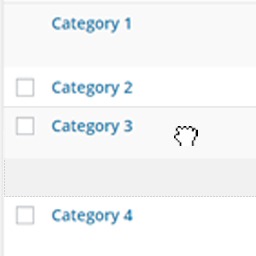
- Categories, tags and custom taxonomies in one place, with drag-and-drop nesting.
- A media library with nested folders (also in the WordPress media picker), an image editor that crops to common shapes, rotates, flips and resizes while keeping the original, and ZIP downloads.
- Comment moderation with approve, reply, spam and trash, one at a time or in bulk.
- A compact plugin manager, themes, updates and Site Health.
- Jump anywhere with Cmd/Ctrl + K, keyboard shortcuts, light and dark themes and a collapsible sidebar.
Site tools
- Performance switches to remove emoji scripts, embeds, XML-RPC, the generator tag, jQuery Migrate on the website and more. Each one is off by default and fully reversible.
Corevum Pro
Corevum Pro is an optional, separate add-on for agencies and people who look after several sites. It adds an activity log, maintenance mode, redirects, white-label branding and login page, login destinations by role, menu and role editors, a simpler client view with presets, plugin impact measurement, bulk featured images and file replacement, and a faster WooCommerce workspace. Every paid plan includes every Pro module; plans differ only in how many sites they cover. Nothing in this plugin is locked or time-limited.
Guided help
Use the question mark in the header to replay a guided tour or find instructions for everyday tasks. First-visit onboarding and your choice to skip or complete it are saved to your account.
Documentation and support
Full guide: https://dawsony.com/corevum/documentation
Privacy and data: https://dawsony.com/corevum/privacy-policy
Software and subscription terms: https://dawsony.com/corevum/terms
Support: [email protected]
Privacy and external services
Corevum Free works without a Dawsony account and has no Dawsony telemetry or licensing connection. It stores workspace settings and user preferences locally in WordPress. Media preferences and recent command destinations use browser local storage.
When form entry storage is enabled, submitted fields, form ID, time, status, email where supplied, source URL and signed-in user ID where applicable are stored in the WordPress database. Notifications use wp_mail() and the site’s configured recipients and delivery provider. Entry storage and notifications can be disabled separately. Form entries have no automatic age-based purge; site owners must manage retention. The Forms module registers WordPress personal-data export and erasure tools that match the stored email address.
Spam prevention reads the request IP to calculate a salted HMAC for an expiring rate-limit transient. It does not put raw IP addresses in form entries or set a form tracking cookie. Hosting and other plugins may retain separate logs. WordPress updates, Gravatar avatars and administrator-configured snippets may contact their respective services.
The separately distributed Corevum Pro add-on contacts Dawsony.com over HTTPS for licence activation, validation, deactivation and authorised updates. These requests send the licence key, site hostname and product identifier; update checks also send the installed Pro version. Activation/deactivation are initiated by an administrator; saved licences are subsequently validated through daily WordPress cron and eligible update checks follow WordPress’s update process. No form entries, post content or customer orders are included. This service is not required by Free.
Service privacy: https://dawsony.com/corevum/privacy-policy
Service terms: https://dawsony.com/corevum/terms
Dawsony website/account privacy: https://dawsony.com/privacy-policy
Source code and build instructions
Readable source for the compiled JavaScript and CSS in dist/ is included in this ZIP under src/App/. PHP source is under src/PHP/ and uncompiled browser scripts are under assets/.
To rebuild the Free plugin, extract the ZIP, open the corevum directory, install Node.js 22 or later, then run:
npm ci
npm run build
The included package-lock.json pins dependency versions. vite.config.ts and tsconfig.json configure the build. No Pro source or private repository access is required.
Lucide icons source: https://github.com/lucide-icons/lucide/tree/0.468.0/packages/lucide-react
Lucide icon definitions: https://github.com/lucide-icons/lucide/tree/0.468.0/icons
Vite build runtime source: https://github.com/vitejs/vite
React is provided by WordPress through wp-element, not bundled in dist/. Third-party licences are in THIRD_PARTY_LICENSES.txt. See BUILDING.txt for more details.
Frequently asked questions
What is Corevum?
Corevum is a free WordPress plugin available under the GPL license. The current version is 1.0.0.
Is Corevum free to download?
Yes — Corevum 1.0.0 is a free GPL download with no hidden fees, no account needed, and no feature locked behind a paywall in this package.
How do I install Corevum 1.0.0?
Download the ZIP file from this page, then in your WordPress dashboard go to Plugins → Add New → Upload Plugin, choose the file, click Install Now, then Activate. The plugin works immediately after activation — no license key or extra setup is required for the core features.
What are the requirements for Corevum?
Corevum 1.0.0 requires WordPress 6.2 or higher and PHP 8.1 or higher. Most modern WordPress hosts already meet these versions. Running older versions may cause features to break, so update WordPress and PHP first if your site is behind.
When was Corevum last updated?
Version 1.0.0 was last updated on September 22, 2026. This page is refreshed automatically, so the download here always matches the newest version we have verified.
Is the Corevum download safe?
The file is sourced directly from the official WordPress.org repository — the same file the developer published. It is served unmodified, so what you install here is byte-identical to the official release.
Version: 1.0.0
Updated: October 1, 2026
Technical details
| Version | 1.0.0 |
|---|---|
| Last updated | September 22, 2026 |
| Requires WordPress | 6.2 or higher |
| Requires PHP | 8.1 or higher |
| Author | DawsonyWeb |
| Tags | admin, custom-fields, custom-post-types, dashboard, forms |
Demo Corevum
Download Corevum
Download Corevum WP PluginNote: if the download does not start, disable your ad blocker and try again.