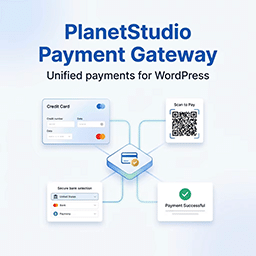
PlanetStudio Payment Gateway
Download PlanetStudio Payment Gateway 1.3.2Free download · version 1.3.2
Description
At a glance
PlanetStudio Payment Gateway v1.3.2 is a free WordPress plugin with 70+ active installs, updated September 29, 2026, requires WordPress 6.5+ & PHP 7.4+. Download the latest GPL version below — free, with live demo included.
PlanetStudio Payment Gateway allows merchants to accept online payments via Armenian banks, as well as the Idram and Telcell wallet payment systems.
This plugin provides the PSPG Core and PayLink payments.
Additional platform and service integrations, including WooCommerce, GiveWP, WPForms, PayForm, eHDM, HayPost Tracking, and Mobile, are available as separate add-ons.
PlanetStudio Payment Gateway supports multiple Armenian acquiring banks, test and production modes, and provides detailed payment and callback logs in the WordPress admin area.
Depending on the selected bank or payment system, merchants may need to obtain API credentials or other access details from their bank or payment provider.
Supported Banks & Payment Systems
ArCa (Armenian Card)
– ACBA Bank (ACBABank)
– Araratbank (Ararat Bank)
– Armeconombank (Armeconom Bank)
– Armswissbank (Armswiss Bank)
– Ardshinbank (Ardshin Bank)
– Byblos Bank Armenia
– Converse Bank
– Evocabank (Evoca Bank)
– Fast Bank
– IDBank (ID Bank)
Banks with independent processing
– AMIO Bank
– Ameriabank (Ameria Bank)
– Inecobank (Ineco, Ineco Bank)
Other payment systems
– Idram Wallet
– Telcell Wallet
Features
- PayLink (Payment by Link / QR)
- Support for multiple Armenian banks
- Credit and debit card payments
- 3-D Secure support (when provided by the bank)
- Multi-currency support (AMD, USD, EUR, RUB — depending on bank configuration)
- Test and production modes
- Detailed payment and callback logs in WordPress admin
- Secure server-to-server payment callbacks
- Optional Telegram notifications for paid PSPG orders
PayLink (Payment by Link / QR)
PlanetStudio Payment Gateway includes a PayLink feature that allows administrators
to create payment links (including QR-based flows) manually and send them to customers
via email, messengers, or any other communication channel.
PayLink works independently from e-commerce or donation plugins and can be used
for manual payments, invoices, advance payments, or one-time charges.
How PayLink works:
- Administrator creates a PayLink from PSPG PayLink in the WordPress admin area.
- A unique payment link is generated for the specified amount and bank.
- The customer opens the link (or scans a QR code) and is redirected to the bank’s secure hosted payment page.
- After successful payment, the transaction is finalized and logged in PSPG.
PayForm
PayForm functionality is available via a separate add-on.
The PayForm add-on allows administrators to embed a customizable public payment form using a shortcode and process payments through PSPG-supported banks.
HayPost Shipment Tracking
HayPost shipment tracking is available via a separate add-on for WooCommerce.
The HayPost Tracking Add-on detects HayPost tracking numbers stored in WooCommerce fulfillments, synchronizes shipment events in the background, and displays the current delivery progress and tracking timeline on the customer’s order page.
The add-on does not create shipments or tracking numbers. The shipment must already be registered with HayPost, and its tracking number must be added to the WooCommerce order.
Integrations
PlanetStudio Payment Gateway provides a Core payment framework.
Additional integrations such as WooCommerce, GiveWP, WPForms, PayForm, eHDM (Էլեկտրոնային ՀԴՄ), HayPost Tracking, and Mobile are available as separate add-ons.
Getting Started
After activating the plugin, go to the PSPG settings page in the WordPress admin area and configure at least one payment provider.
To start using the plugin:
- Install and activate PlanetStudio Payment Gateway.
- Open PSPG Settings in the WordPress admin area.
- Enable at least one payment provider.
- Enter the credentials provided by your bank or payment provider.
- Select test mode or live mode depending on your environment.
- Save the settings.
The core plugin includes built-in PayLink functionality and can be used without WooCommerce or other add-ons.
How to Test the Plugin
The easiest way to test the plugin is using the built-in PayLink feature.
- Go to PSPG PayLink in the WordPress admin area.
- Create a new PayLink by selecting a configured payment provider and entering an amount.
- Open the generated payment link in your browser.
- You will be redirected to the payment provider’s hosted payment page.
- Complete the payment using test credentials (if test mode is enabled).
- After payment, verify the result and logs in the PSPG admin area.
If no payment provider is configured, PayLink and other payment flows will not work.
Configuration Notes
This plugin requires merchant credentials provided by the selected Armenian bank or payment provider.
Depending on the provider, you may need:
– test credentials for sandbox/testing
– live credentials for production
– provider-specific merchant settings
WooCommerce, GiveWP, and PayForm integrations are available as separate add-ons and are not required to test the core PayLink functionality.
eHDM Fiscal Receipt Integration
PlanetStudio Payment Gateway can integrate with the separate PlanetStudio eHDM (Էլեկտրոնային ՀԴՄ) plugin for fiscal receipt handling.
eHDM (Էլեկտրոնային ՀԴՄ) is an optional external plugin and is not required for PSPG operation.
External Services
This plugin connects to external services only when the corresponding feature is configured and used.
The plugin does not send customer banking credentials to these services.
When a payment is initiated, the plugin may send transaction-related data required by the selected provider, such as:
– payment amount
– currency
– payment description
– merchant order or transaction identifier
– return / callback URL needed to complete the payment flow
ArCa Payment System (Armenian Card)
This plugin can connect to the ArCa payment infrastructure to process card payments for supported ArCa-based banks.
This service is used only when an ArCa-based payment method is enabled and selected for payment.
Data sent may include:
– payment amount
– currency
– payment description
– merchant order identifier
– return URL / callback URL
Service URLs:
– https://epg.arca.am
– https://testepg.arca.am
– https://ipay.arca.am
– https://ipaytest.arca.am
Privacy policy:
– https://arca.am/privacy-policy
Ameriabank vPOS
This plugin can connect to Ameriabank vPOS to process card payments.
This service is used only when the Ameriabank payment method is enabled and selected for payment.
Data sent may include:
– payment amount
– currency
– payment description
– merchant order identifier
– return URL / callback URL
Service URLs:
– https://services.ameriabank.am
– https://servicestest.ameriabank.am
Privacy policy:
– https://ameriabank.am/website-privacy-policy
AMIO Bank
This plugin can connect to AMIO Bank payment endpoints to process card payments.
This service is used only when the AMIO Bank payment method is enabled and selected for payment.
Data sent may include:
– payment amount
– currency
– payment description
– merchant order identifier
– return URL / callback URL
Service URLs:
– https://epg.armbusinessbank.am
– https://epg-test.armbusinessbank.am
Legal / service information:
– https://amiobank.am/en/legal-documents
IDBank
This plugin can connect to IDBank payment infrastructure to process card payments.
This service is used only when the IDBank payment method is enabled and selected for payment.
Data sent may include:
– payment amount
– currency
– payment description
– merchant order identifier
– return URL / callback URL
Service URL:
– https://ipayproxy.idp.am
Terms:
– https://idbank.am/en/information/helpfull-information/Remote-services-ENG.pdf
Privacy policy:
– https://idbank.am/documents/RL-0900-0001-01_ENG.pdf
Inecobank
This plugin can connect to Inecobank payment endpoints to process card payments.
This service is used only when the Inecobank payment method is enabled and selected for payment.
Data sent may include:
– payment amount
– currency
– payment description
– merchant order identifier
– return URL / callback URL
Service URLs:
– https://pg.inecoecom.am
– https://ipaytest.inecobank.am
– https://ipay.inecobank.am
Privacy policy:
– https://www.inecobank.am/en/useful-information/privacy-policy
Idram Wallet
This plugin can connect to Idram Wallet services to process wallet-based payments.
This service is used only when the Idram payment method is enabled and selected for payment.
Depending on the payment flow and provider-side functionality, the plugin may also connect to Idram authentication and related service endpoints.
Data sent may include:
– payment amount
– currency
– payment description
– merchant order identifier
– return URL / callback URL
Service URLs:
– https://banking.idram.am
– https://csauth.idram.am
– https://cashback.idram.am
Terms:
– https://www.idram.am/Media/Documents/terms-and-conditions-eng.pdf
Privacy policy:
– https://money.idram.am/en/documents/privacy.htm
Telcell Wallet
This plugin can connect to Telcell Wallet services to process wallet-based payments.
This service is used only when the Telcell payment method is enabled and selected for payment.
Depending on the payment flow and provider-side functionality, the plugin may also connect to Telcell payment and related service endpoints.
Data sent may include:
– payment amount
– currency
– payment description
– merchant order identifier
– return URL / callback URL
Service URLs:
– https://telcellmoney.am
Terms:
– https://telcell.am/en/legal-acts
PS Gateway Telegram Service
This plugin can connect to the PS Gateway Telegram Service to pair the website with the official PS Gateway Telegram bot and send optional payment notifications.
This service is used only when a WordPress administrator connects Telegram and enables notifications in PSPG.
Data sent may include:
– website URL and name
– randomly generated connection and authentication identifiers
– PSPG order number
– payment amount and currency
– payment source and selected bank
– test mode indicator
No customer names, email addresses, billing details, payment card data, or bank credentials are sent to this service.
Service URL:
– https://planetstudio.am/wp-json/pspg-telegram-service/v1
Terms:
– https://planetstudio.am/terms-conditions/
Privacy policy:
– https://planetstudio.am/privacy-policy/
goQR / QRServer
This plugin can connect to the goQR / QRServer API to generate QR code images for PSPG PayLink pages.
This service is used only when a PayLink page with QR code output is generated or displayed.
Data sent may include:
– the PayLink URL that should be encoded into the QR code
No payment card data, banking credentials, or customer authentication data are sent to this service.
Service URL:
– https://api.qrserver.com
Terms:
– https://goqr.me/legal/tos-api.html
Privacy policy:
– https://goqr.me/privacy-safety-security/
Frequently asked questions
What do I get when I download PlanetStudio Payment Gateway?
PlanetStudio Payment Gateway 1.3.2 is the latest version. It is a WordPress plugin you can download here free of charge under the GPL license, with the complete feature set included and no trial limitations.
Does PlanetStudio Payment Gateway cost anything?
No. PlanetStudio Payment Gateway 1.3.2 is 100% free — the full GPL version, not a trial or demo. There are no download limits, no accounts to create, and no upsells during the download.
How do I install PlanetStudio Payment Gateway 1.3.2?
Download the ZIP file from this page, then in your WordPress dashboard go to Plugins → Add New → Upload Plugin, choose the file, click Install Now, then Activate. The plugin works immediately after activation — no license key or extra setup is required for the core features.
What are the requirements for PlanetStudio Payment Gateway?
PlanetStudio Payment Gateway 1.3.2 requires WordPress 6.5 or higher and PHP 7.4 or higher. Most modern WordPress hosts already meet these versions. Running older versions may cause features to break, so update WordPress and PHP first if your site is behind.
When was PlanetStudio Payment Gateway last updated?
Version 1.3.2 was last updated on September 29, 2026. This page is refreshed automatically, so the download here always matches the newest version we have verified.
Is the PlanetStudio Payment Gateway download safe?
The file is sourced directly from the official WordPress.org repository — the same file the developer published. It is served unmodified, so what you install here is byte-identical to the official release.
Version: 1.3.2
Updated: October 1, 2026
Technical details
| Version | 1.3.2 |
|---|---|
| Last updated | September 29, 2026 |
| Active installs | 70+ |
| Requires WordPress | 6.5 or higher |
| Requires PHP | 7.4 or higher |
| Author | Planet Studio |
| Tags | arca, armenian-banks, idram, payment-gateway, telcell |
Download PlanetStudio Payment Gateway
Download PlanetStudio Payment Gateway WP PluginNote: if the download does not start, disable your ad blocker and try again.