Description
At a glance
Looking for WebEquipe Spin & Win Wheel v1.1.2? It is available here as a free GPL download for WordPress — 60+ active installs · 5/5 rating from 2 reviews · updated September 29, 2026 · requires WordPress 5.4+ & PHP 7.4+.
Engage your visitors with an interactive spin-to-win wheel! Collect leads, reward users instantly, and boost conversions.
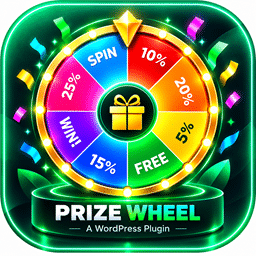
WebEquipe Spin & Win Wheel is a gamified marketing tool for WordPress that lets you create multiple customizable spin-to-win wheels with prizes, probabilities, and unique branding.
Perfect for lead generation, coupons, giveaways, and seasonal campaigns.
🎯 Key Features
- Create unlimited spin-to-win wheels with custom rewards.
- Define probabilities for each prize segment.
- Fully customizable design (colors, sizes, logos, and backgrounds).
- Display the wheel as a popup and sidebar.
- Display the wheel inside page.
- Multiple trigger options: on page load, button click.
- Collect user data (name, email, etc.).
- Export participant data as CSV and import into email-marketing tools.
- Winner and admin email notifications.
- Works as a standalone spin wheel plugin.
- Responsive and lightweight — works seamlessly on mobile and desktop.
💡 Use Cases
- Lead generation and newsletter sign-ups.
- Discount or coupon giveaways.
- Seasonal and festive promotions.
- Gamified user-engagement campaigns.
- Reward programs for loyal customers.
🚀 Pro Features (Coming Soon)
- AI-powered display timing and prize optimization.
- Flexible reward messaging and lead capture.
- Advanced email-marketing integrations (Klaviyo, and more).
- Built-in analytics dashboard for insights and performance tracking.
🌟 Why Choose WebEquipe Spin & Win Wheel
Turn visitors into customers by making engagement fun.
Gamify your website, capture leads effortlessly, and watch your conversions rise — all from within your WordPress dashboard.
🆕 What’s New in 1.1.2
- Display the wheel directly on the page instead of in a popup. In Spin Display Settings, set Display Trigger to Display in page, then place the shortcode where the wheel should appear.
🆕 What’s New in 1.1.1
- Declared compatibility with WordPress 7.0.
- Improved center popup, left/right sidebar, and up/down layouts (wheel and form align cleanly).
- Mobile-friendly wheel sizing: form width matches the wheel; center logo and pointer scale correctly.
- Fixed wheel pointer placement on all screen sizes (sits on the outside edge, not inside or detached).
What’s New in 1.1.0 (from 1.0.7)
- Refreshed admin settings UX for faster spin setup and preview workflows.
- Added optional marketing consent checkbox support in the spin form.
- Added Mailchimp integration support and sync-ready data handling.
- Improved popup/modal interaction UX (alignment behavior, spacing, close control layering, smoother open transitions).
- Expanded documentation and feature notes for easier onboarding.
Privacy Policy
This site uses the WebEquipe Spin & Win Wheel plugin to run a spin-to-win campaign. It collects personal data submitted through the spin form, including name, email address, phone number, spin result, page URL, and optional marketing consent. The data is stored in custom database tables on this site and is used to run the campaign and send winner/admin notifications if enabled. Data remains until entries are deleted or the plugin is uninstalled.
Third-party service (optional Mailchimp): When the site owner enables Mailchimp integration and the visitor provides marketing consent, the plugin may send the visitor’s name, email address, phone number, and consent status to Mailchimp (mailchimp.com) so the contact can be added or updated in the selected audience. No data is sent to Mailchimp unless integration is enabled and consent rules are satisfied. Mailchimp’s handling of data is governed by the site owner’s Mailchimp account and Mailchimp’s privacy policy: https://mailchimp.com/legal/privacy/
Why this matters: site owners are responsible for telling visitors what data is collected and how it is used.
How to use the suggested text:
- In WordPress Admin, go to Settings Privacy.
- Click “Check for suggested privacy policy text”.
- Add the WebEquipe Spin & Win Wheel section to your site’s privacy policy page.
Configuration
Quick Start Guide
After activating the plugin, follow these steps to create and configure your first spin-to-win wheel.
Step 1: Create Your First Wheel
- Navigate to WebEquipe Spin & Win Wheel All Wheel in your WordPress admin dashboard.
- Click “Add New” at the top of the page.
You will see 4 tabs with default values. You can customize them as needed.
Step 2: General Tab – Set Up Basic Settings
- Basic Information
- Enter a Title for your wheel (e.g., “Summer Giveaway Wheel”).
- Add an optional Description to help you identify this wheel later.
- Status: Set to “Active” to enable the wheel, or “Inactive” to disable it temporarily.
- Spin Display Settings
- Display Trigger: Choose how your wheel appears
- Popup: Opens automatically on your page
- Button Click: Shows a button; clicking it opens the modal
- Display in page: Shows the wheel and form directly on the page where the shortcode is placed (no popup)
- Responsive Display Setting: Choose which devices to support (Laptop, Tablet, Mobile).
- Show On: Choose how the popup appears
- Left Slide: Appears from left to right
- Right Slide: Appears from right to left
- Center: Appears as a centered modal
- Form Field Setting
- Email: Always shown and required
- Name and Mobile: Can be enabled/disabled
- Spin Behavioral Settings
- Spin Popup First Display: Wait time (seconds) before the popup appears
- Spin Duration: Number of seconds the wheel spins
- Wait Time to Re-open Wheel: Cooldown before the popup can open again
- Wait Time to Try with Same Email: Cooldown before the same email can submit again
Step 3: Items Tab – Prize Segments
- This tab shows the prize list. Each row is a segment on the wheel.
- For each segment, configure:
- Win?: Yes or No. This decides whether the win/lose message is shown.
- Label: The text displayed on the wheel segment (e.g., “10% Off”, “Try Again”, “Free Shipping”)
- Value: The actual prize value or message shown to winners
- Probability: The chance of winning this prize (as a percentage). Total should equal 100%
- Background Color: Color of the segment
- Text Color: Color of the text on the segment
- Add New Row+: Add a new prize segment.
- Important: Ensure all probabilities add up to 100%.
- Choose Template: Select a built-in color template or customize each segment color manually.
Step 4: Design Tab – Look and Feel
- Template: Choose a pre-designed template. There are 4 layouts.
- Card Settings: Customize the popup/form container:
- Background color, text color, border radius, padding
- Wheel Center: Customize the center of the wheel:
- Background color, border color, and width
- Choose a default icon (dot, star, film) or upload a custom image
- Wheel Stroke Settings: Customize segment borders and text:
- Border color and size
- Font size, family, and style
- Form Design Settings: Customize the user input form:
- Alignment, button text and colors
- Initial button appearance
- Initial Button Settings: If When Load is set to Button, configure the button colors.
Step 5: Finish
- Message Settings: Messages shown after form submission.
- Win Message: You can use
{label}and{value}in the message.
Example: 🎉 Congratulations! You won {label}. Use {value} as your coupon code. - Lose Message: Message shown when the user does not win.
- Win Message: You can use
- Email Settings: Only winners receive an email.
- Send Email After Submit: Yes/No.
- Customize From Name, From Address, and Subject.
- Body: Use dynamic fields like
{customer},{customer_phone},{spin_label},{spin_value}.
- Notification Settings: Enable or disable admin notifications.
Step 5.1: Mailchimp + Consent Checkbox Setup
If you want to send spin leads to Mailchimp and collect marketing consent:
- Go to WebEquipe Spin & Win Wheel Settings.
- In the settings page, use two tabs:
- General Settings (consent checkbox options)
- CMS/Email API (Mailchimp connection options)
- In CMS/Email API:
- Enable Mailchimp Integration
- Enter your Mailchimp API Key
- Click Connect
- Select your Audience (List)
- (Optional) set a Tag
- In General Settings:
- Enable Consent Checkbox on Spin Form
- Update Consent Text (example: I agree to receive promotional emails.)
- Click Save Settings.
How it works on frontend:
– The checkbox appears in the spin form when consent is enabled.
– Users must check it before submit (when required).
– Consent value is submitted with the lead and can be used in Mailchimp sync flow.
Step 6: Save and Test
- Click “Create Wheel” to save.
- On the Edit Wheel page, copy the shortcode shown at the top, such as
[wsww-spin id="1"]. - Paste the shortcode on any page, post, or widget.
- If Display Trigger is set to Button Click, the shortcode renders a button. If set to Popup, the wheel opens automatically. If set to Display in page, the wheel appears inline where the shortcode is placed.
List and Edit
From All Wheel, you can view all wheels and their shortcodes. Click a title to edit or use Delete to remove a wheel.
The edit screen uses the same tabs: General, Items, Design, and Finish. You can update these settings at any time.
Viewing and Managing Results
- Navigate to WebEquipe Spin & Win Wheel All Winner to see all participants.
- View details of each spin, including:
- User information (name, email, etc.)
- Prize won
- Date and time
- Claim status
- Click an email to view winner details. Use “Claim this prize” to set the claim status.
- Export data as CSV for use in email marketing tools or CRM systems.
Testing Your Setup
Before launching your campaign:
- Test the Wheel: Create a test wheel and spin it multiple times to verify probabilities.
- Test Email Notifications: Ensure winner emails are being sent correctly.
- Test on Mobile: Verify the wheel displays and functions properly on mobile devices.
- Test Different Browsers: Check compatibility across Chrome, Firefox, Safari, and Edge.
-
Test Display Triggers: Verify popup timing and auto-trigger settings work as expected.
Tip: For best results, test the wheel on both desktop and mobile before launching your campaign.
Third-Party Libraries
This plugin bundles the following libraries:
- Bootstrap v5.3.8 (assets/js/bootstrap.bundle.min.js, assets/css/bootstrap.min.css)
- D3.js v3.5.17 (assets/js/d3.v3.min.js)
License details and source URLs are listed in THIRD-PARTY-LICENSES.txt.
Troubleshooting
Common Issues and Solutions
Issue: Wheel not spinning or showing errors
– Solution: Ensure JavaScript is enabled in your browser
– Check browser console for errors
– Verify all required fields are filled in the wheel configuration
– Ensure probabilities add up to 100%
Issue: Popup not appearing
– Solution: Check display settings (Display After X seconds)
– Verify the wheel status is “Active”
– Clear browser cache
– Check if other plugins are interfering with popup functionality
Issue: Shortcode not working
– Solution: Verify the shortcode syntax: [wsww-spin id="1"] (use quotes around the ID)
– Ensure the wheel ID is correct
– Check that the page/post is published (not draft)
– Try deactivating and reactivating the plugin
Issue: Email notifications not sending
– Solution: Configure SMTP plugin if your host requires it
– Verify email settings in the Email tab
– Check WordPress email functionality
– Ensure “From Address” is valid and not blocked
Issue: Wheel design not displaying correctly
– Solution: Clear browser cache
– Check for CSS conflicts with your theme
– Verify all color codes are valid hex colors (e.g., #FF0000)
– Test in different browsers
Issue: Data not being collected
– Solution: Verify required fields are set in Data Process tab
– Check that form fields are enabled
– Ensure JavaScript is enabled
– Check browser console for errors
Issue: Admin page showing redirect errors
– Solution: Clear browser cache and cookies
– Deactivate and reactivate the plugin
– Check for plugin conflicts by deactivating other plugins temporarily
– Ensure you have administrator permissions
If you continue to experience issues, please check the plugin support forum or contact support.
Frequently asked questions
What do I get when I download WebEquipe Spin & Win Wheel?
WebEquipe Spin & Win Wheel 1.1.2 is the latest version. It is a WordPress plugin you can download here free of charge under the GPL license, with the complete feature set included and no trial limitations. It holds a 5/5 rating from 2 user reviews.
Does WebEquipe Spin & Win Wheel cost anything?
No. WebEquipe Spin & Win Wheel 1.1.2 is 100% free — the full GPL version, not a trial or demo. There are no download limits, no accounts to create, and no upsells during the download.
How do I install WebEquipe Spin & Win Wheel 1.1.2?
Download the ZIP file from this page, then in your WordPress dashboard go to Plugins → Add New → Upload Plugin, choose the file, click Install Now, then Activate. The plugin works immediately after activation — no license key or extra setup is required for the core features.
What are the requirements for WebEquipe Spin & Win Wheel?
WebEquipe Spin & Win Wheel 1.1.2 requires WordPress 5.4 or higher and PHP 7.4 or higher. Most modern WordPress hosts already meet these versions. Running older versions may cause features to break, so update WordPress and PHP first if your site is behind.
When was WebEquipe Spin & Win Wheel last updated?
Version 1.1.2 was last updated on September 29, 2026. This page is refreshed automatically, so the download here always matches the newest version we have verified.
Is the WebEquipe Spin & Win Wheel download safe?
The file is sourced directly from the official WordPress.org repository — the same file the developer published. It is served unmodified, so what you install here is byte-identical to the official release.
Version: 1.1.2
Updated: October 1, 2026
Technical details
| Version | 1.1.2 |
|---|---|
| Last updated | September 29, 2026 |
| Active installs | 60+ |
| Rating | ★★★★★ 5/5 (2 reviews) |
| Requires WordPress | 5.4 or higher |
| Requires PHP | 7.4 or higher |
| Author | WebEquipe |
| Tags | coupon, giveaway, lead-generation, lucky-draw, spin-wheel |
Demo WebEquipe Spin & Win Wheel
Download WebEquipe Spin & Win Wheel
Download WebEquipe Spin & Win Wheel WP PluginNote: if the download does not start, disable your ad blocker and try again.